001-FSWatch-文件变动监控
一、获取文件的变动信息
方法1、轮询对比——低效、高耗、麻烦、易错
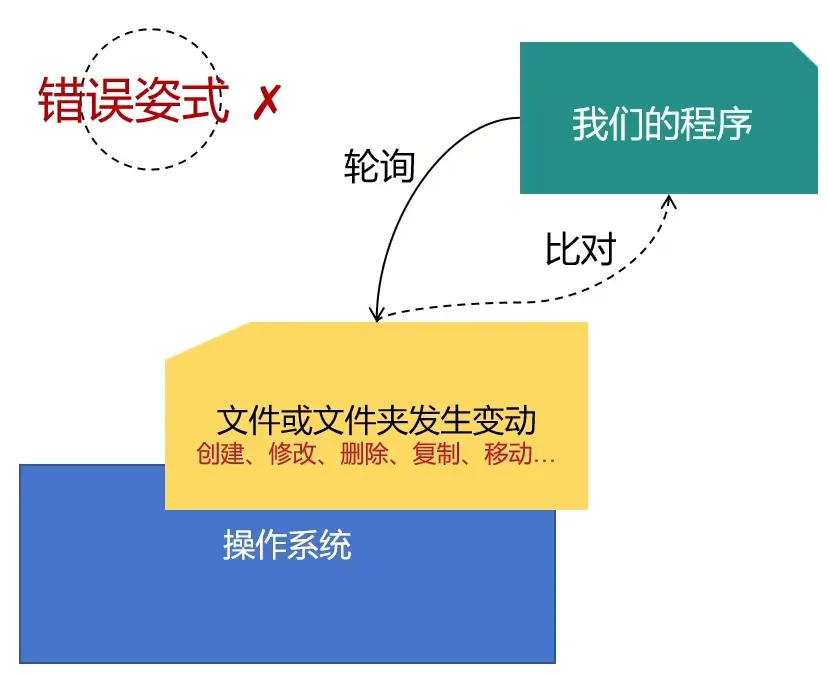
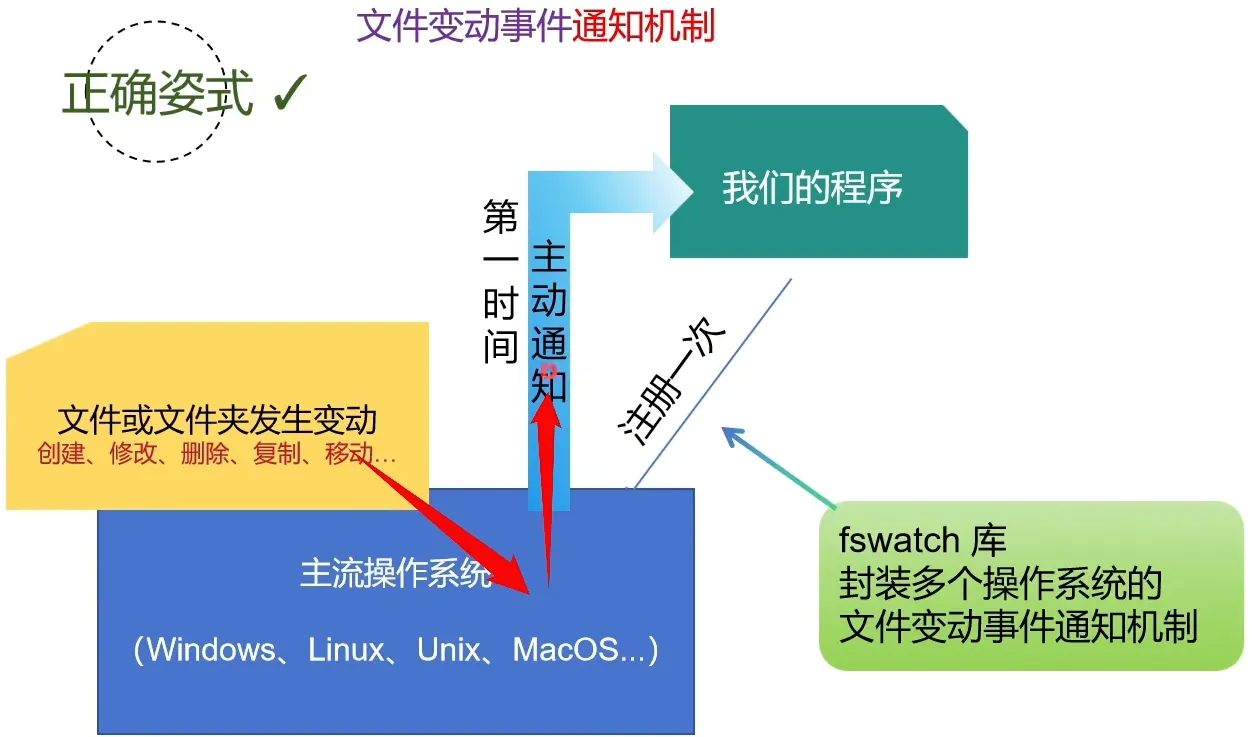
方法2:文件变动事件通知机制
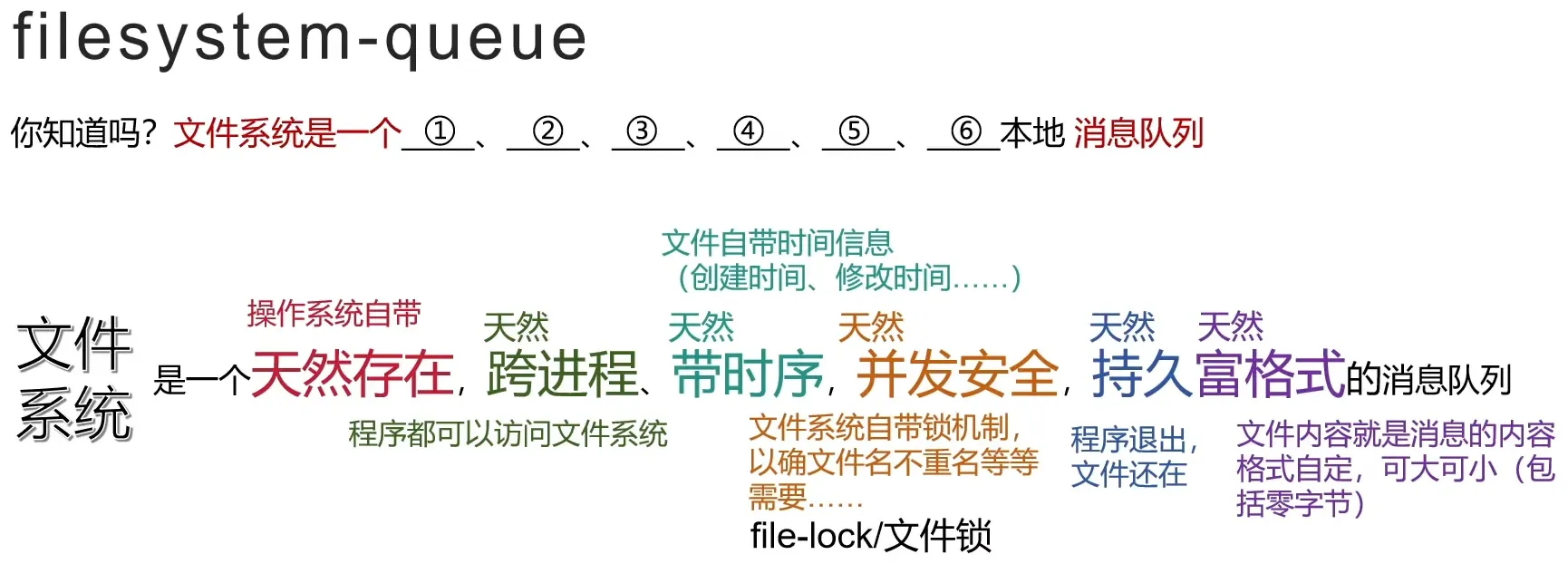
二、为什么要获取文件变动信息?
三、FSWatch使用关键代码
// step1:创建监视器(相当于向操作系统注册)
auto* monitor = fsw::monitor_factory::create_monitor(
	system_default_monitor_type, //1.监视器类型(使用默认)
	paths, 			     //2.待监控路径集,类型为 vector<string>(windows下仅支持文件夹)
	on_file_changed,	     //3.监控到变化后,回调的函数(返回类型为void)
	nullptr			     //4.附加消息
);

// step2:开始监控!
monitor->start();
回调函数示例
void on_file_changed(vector<fsw::event>& const events, void*)// void* 就是创建监视器时传入的空指针
{
	std::cout<<"Message of file changed."<<std::endl;
}
每个 fsw::event包含:
- 变动文件
- 变动时间
- 变动标志(原因,可以有多个)
- 变动事件关联ID
四、代码实践
#include <ctime>
#include <iomanip>
#include <iostream>
#include <libfswatch/c++/monitor_factory.hpp>
void on_file_changed(std::vector<fsw::event> const &events, void *)
{
std::cout << "File changed!\n";
for (auto const &event : events)
{
std::cout << "Path: " << event.get_path() << "\n";
std::time_t t = event.get_time();
std::tm lt; // local time
localtime_s(<, &t);
std::cout << "Time: " << std::put_time(<, "%Y-%m-%d %H:%M:%S") << "\n";
std::cout << "Flags: ";
for (auto const &flag : event.get_flags())
{
std::cout << fsw_get_event_flag_name(flag) << " ";
}
std::cout << "\n";
}
}
int main(int, char **)
{
std::vector<std::string> paths{"d:/temp"};
auto *monitor = fsw::monitor_factory::create_monitor(system_default_monitor_type, paths, on_file_changed);
monitor->start();
}
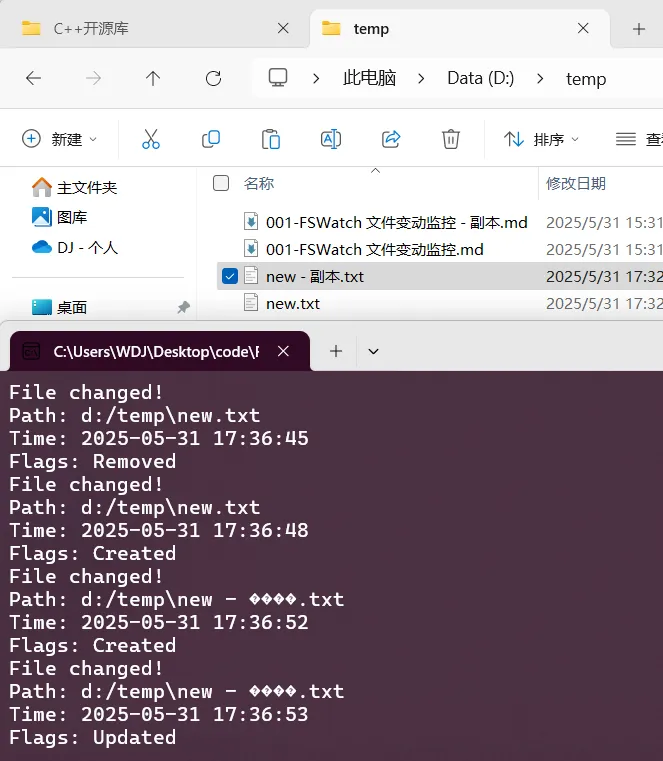
运行结果: